OVERVIEW
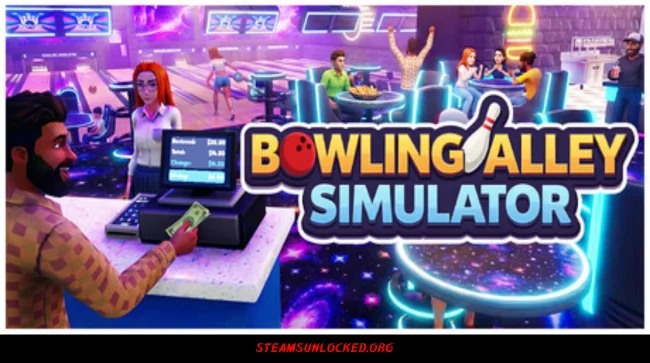
In Bowling Alley Simulator, you’ve got the reins to your own bowling center. You’re in charge of everything—fixing up lanes, serving snacks, and making sure customers have a good time. You’ll start out small, but with smart moves and a bit of hustle, you can turn your place into the hotspot for anyone looking to have fun.
Tweak your prices, control how people use the lanes, and stay on top of repairs so the whole place keeps running smooth. Happy customers mean more cash in your pocket, but you’ll need to stay sharp. Rush hours, broken machines, surprise problems—they’re all part of the game. Every choice you make shapes how your business grows and what people say about your alley. You may also be interested in the game D-topia.


DOWNLOAD INSTRUCTIONS
- Click the Download button below and you’ll be redirected.
- Wait for 5 seconds and then click the blue ‘download now’ button to start the download.
- Once the download is complete, right-click the .zip file and choose “Extract to”Bowling Alley Simulator” (You’ll need 7-Zip, available here).
- Open the game, and run the exe application.
- Enjoy playing! Remember to run the game as an administrator. If you encounter any missing DLL errors, check for a Redist or _CommonRedist folder and install all the programs it contains.
HOW TO FREE DOWNLOAD BOWLING ALLEY SIMULATOR?
Left-click the download button below to start the free download of Bowling Alley Simulator for PC, getting a direct link. This is the whole game – the full version. Remember to run the game as an administrator.
: NOTICE :
The game is ready to play, no need to install it. If you encounter missing dll errors in the game, find the _Redist or _CommonRedist folder and install DirectX, vcredist, and other programs inside. Check the ‘HOW TO RUN GAME!!.txt’ file for extra help. Always run the game as an administrator to save progress. Disable your antivirus before extracting the game to avoid it removing cracked files.
Are you looking for additional assistance? Check out our FAQ page for answers to common questions and solutions to frequent issues. Click here.
SYSTEM REQUIREMENTS
- OS:Â Windows 10 64-bit / Windows 11 64-bit
- Processor:Â Intel Core i5 3470 / AMD FX-6300
- Memory:Â 4 GB RAM
- Graphics:Â NVIDIA GeForce GTX 750 Ti / AMD Radeon RX 560 / Intel Arc A310
- Storage:Â 2 GB available space
Screenshots