OVERVIEW
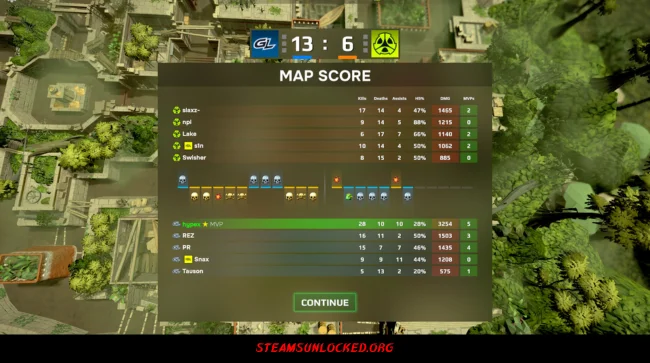
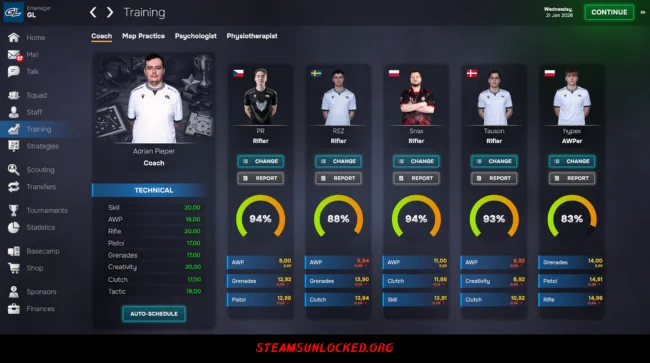
Esports Manager 2026 drops you right into the heart of competitive gaming, letting you build and run your own pro esports team from scratch—or take over an established squad if you’d rather hit the ground running. You’re in charge of everything: scouting and signing rising stars, putting together a killer roster, setting up training, and getting your crew ready for the big tournaments. Every choice you make shapes your team’s future and reputation in the esports world.
But it’s not just about what happens on the stage. You also need to keep the business side of things running smoothly. That means managing your money, making smart trades, keeping players happy, and looking out for their mental health to keep everyone performing their best. There’s no storyline holding you back—just endless ways to build your organization and chase greatness. In the end, it’s all about adapting, outsmarting the competition, and proving you deserve to be called one of the world’s top esports managers. You may also be interested in the game EA SPORTS™ College Football 27.
DOWNLOAD INSTRUCTIONS
- Click the Download button below and you’ll be redirected.
- Wait for 5 seconds and then click the blue ‘download now’ button to start the download.
- Once the download is complete, right-click the .zip file and choose “Extract to”Esports Manager 2026” (You’ll need 7-Zip, available here).
- Open the game, and run the exe application.
- Enjoy playing! Remember to run the game as an administrator. If you encounter any missing DLL errors, check for a Redist or _CommonRedist folder and install all the programs it contains.
HOW TO FREE DOWNLOAD ESPORTS MANAGER 2026?
Left-click the download button below to start the free download of Esports Manager 2026 for PC, getting a direct link. This is the whole game – the full version. Remember to run the game as an administrator.
: NOTICE :
The game is ready to play, no need to install it. If you encounter missing dll errors in the game, find the _Redist or _CommonRedist folder and install DirectX, vcredist, and other programs inside. Check the ‘HOW TO RUN GAME!!.txt’ file for extra help. Always run the game as an administrator to save progress. Disable your antivirus before extracting the game to avoid it removing cracked files.
Are you looking for additional assistance? Check out our FAQ page for answers to common questions and solutions to frequent issues. Click here.
SYSTEM REQUIREMENTS
- Requires a 64-bit processor and operating system
- Memory: 2 GB RAM
- DirectX: Version 10
- Storage: 4 GB available space
Screenshots