OVERVIEW
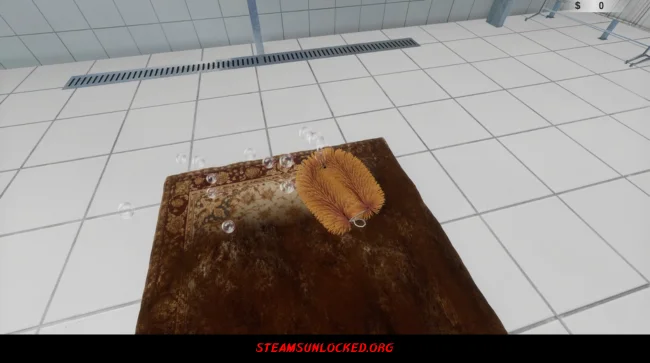
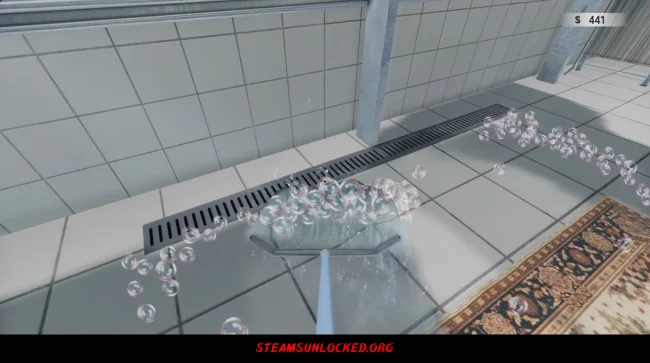
You start off with a handful of simple tools and a grimy carpet that needs a serious clean. You grab your brush or sponge, scrub away the dirt, work up some foam, rinse everything down, and use a squeegee to shove the dirty water toward the drain. Each carpet you tackle pays you a bit of cash, letting you move up in the world.
That money comes in handy. You can use it to pick up better gear or unlock upgrades, which speed things up and bring in even more money. Just when you’re hitting your stride, though, things take a wild turn—a meteor smashes into the city and throws time back to the start. You’re back at square one, but not completely. You get to keep part of your progress, so cleaning feels a little easier and every new round is more satisfying than the last. You may also be interested in the game Goblin Camp.
DOWNLOAD INSTRUCTIONS
- Click the Download button below and you’ll be redirected.
- Wait for 5 seconds and then click the blue ‘download now’ button to start the download.
- Once the download is complete, right-click the .zip file and choose “Extract to”Carpet Cleaning Simulator” (You’ll need 7-Zip, available here).
- Open the game, and run the exe application.
- Enjoy playing! Remember to run the game as an administrator. If you encounter any missing DLL errors, check for a Redist or _CommonRedist folder and install all the programs it contains.
HOW TO FREE DOWNLOAD CARPET CLEANING SIMULATOR?
Left-click the download button below to start the free download of Carpet Cleaning Simulator for PC, getting a direct link. This is the whole game – the full version. Remember to run the game as an administrator.
: NOTICE :
The game is ready to play, no need to install it. If you encounter missing dll errors in the game, find the _Redist or _CommonRedist folder and install DirectX, vcredist, and other programs inside. Check the ‘HOW TO RUN GAME!!.txt’ file for extra help. Always run the game as an administrator to save progress. Disable your antivirus before extracting the game to avoid it removing cracked files.
Are you looking for additional assistance? Check out our FAQ page for answers to common questions and solutions to frequent issues. Click here.
SYSTEM REQUIREMENTS
- OS: Windows 11 64-bit
- Processor: Intel Core i7-11800H
- Memory: 8 GB RAM
- Graphics: NVIDIA GTX 1650
- DirectX: Version 12
- Storage: 5 GB available space
Screenshots