OVERVIEW
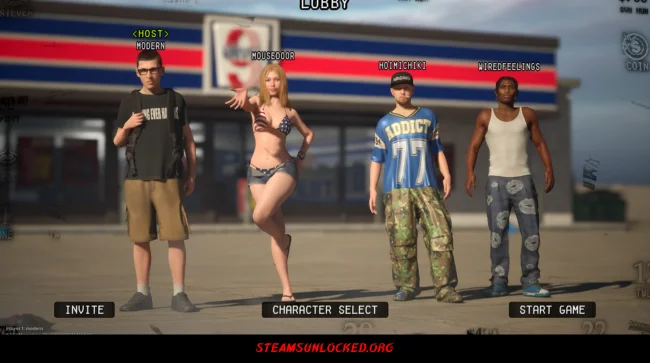
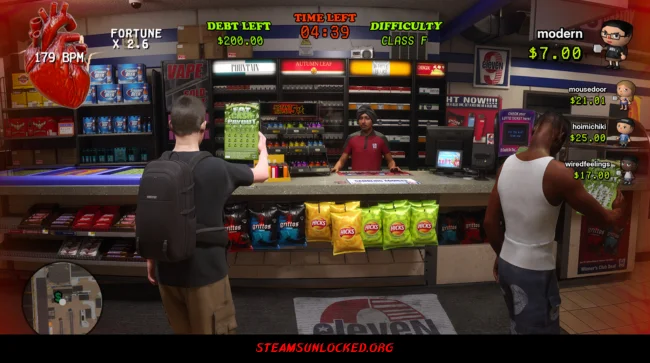
KEEP GAMBLING drops you and your friends into a wild race to ditch your debts before anyone else. It’s all about taking huge risks, messing with each other, and always trying to stay one step ahead. The lottery tickets? They look almost too real—shiny, scratched up, a little grimy—so every gamble feels gritty and intense.
You’ll spin machines in some sketchy club, tear open digital cases at a crowded, chaotic basement party, and chug energy drinks to get your heart pounding. For a while, that rush actually makes you luckier. Push it too far, though, and your heart might just give out. Hit the floor, catch your breath, and then throw yourself right back into the madness. You may also be interested in the game Sonic Colors: Ultimate.

DOWNLOAD INSTRUCTIONS
- Click the Download button below and you’ll be redirected.
- Wait for 5 seconds and then click the blue ‘download now’ button to start the download.
- Once the download is complete, right-click the .zip file and choose “Extract to”KEEP GAMBLING” (You’ll need 7-Zip, available here).
- Open the game, and run the exe application.
- Enjoy playing! Remember to run the game as an administrator. If you encounter any missing DLL errors, check for a Redist or _CommonRedist folder and install all the programs it contains.
HOW TO FREE DOWNLOAD KEEP GAMBLING?
Left-click the download button below to start the free download of KEEP GAMBLING for PC, getting a direct link. This is the whole game – the full version. Remember to run the game as an administrator.
: NOTICE :
The game is ready to play, no need to install it. If you encounter missing dll errors in the game, find the _Redist or _CommonRedist folder and install DirectX, vcredist, and other programs inside. Check the ‘HOW TO RUN GAME!!.txt’ file for extra help. Always run the game as an administrator to save progress. Disable your antivirus before extracting the game to avoid it removing cracked files.
Are you looking for additional assistance? Check out our FAQ page for answers to common questions and solutions to frequent issues. Click here.
SYSTEM REQUIREMENTS
- OS: Windows 10
- Processor: Intel Core i7-8700K (or equivalent)
- Memory: 8 GB RAM
- Graphics: NVIDIA GeForce GTX 1060 6GB (or equivalent)
- DirectX: Version 11
- Network: Broadband Internet connection
- Storage: 5 GB available space
Screenshots